How to Pull Comps Without MLS Access: Investor’s Guide

You can produce a few defensible comps and a working ARV can often be produced without MLS access by combining free portals, county records, and a short verification workflow. The process takes 7–15 minutes per deal when you apply strict filters from the start. Here is the minimal checklist to get there:
- Sold data only. Pull 3–5 closed sales, never active or pending listings.
- A recent 3- to 6-month window. Sales older than six months carry too much market drift to be reliable.
- a radius generally between half a mile and one mile. Tighten to 0.5 miles in dense urban areas; expand cautiously in rural markets.
- a size tolerance around 20%. A 1,200 sq ft subject property needs comps between 960 and 1,440 sq ft.
- Adjust for condition. Distressed-to-retail price gaps are real; account for them before computing ARV.
Fast execution: open Zillow or Redfin, toggle to “Recently Sold,” set your radius and size filters, record closed prices and dates, cross-check two or three of those sales against your county assessor’s site, then drive by or pull street-view photos to confirm condition. That sequence covers the core workflow before you ever touch a calculator.
Key Takeaways
Pulling defensible comps without MLS access requires sold data, strict selection filters, county record verification, and a repeatable calculation workflow that converts your comp set into ARV and MAO.
| Point | Details |
|---|---|
| Use sold data only | Closed prices, not list prices or algorithmic estimates, are the authoritative valuation input. |
| Apply the core filters | A recent 3- to 6-month window, a radius generally between half a mile and one mile, ±20% sq ft, ±10 years built for every comp set. |
| Cross-check county records | Portal data misses off-market and FSBO sales; county deed records catch transfers portals skip. |
| Reject outliers, use median | Exclude auctions, probate, and flips; use median price-per-sq-ft to avoid distortion. |
| Real Estate Investor Toolkit | The comps analyzer, ARV calculator, and rehab estimator convert your comp set into MAO in minutes, no sign-up required. |
Table of Contents
- Why comps without MLS still require sold prices
- Where to find free real estate comps without MLS access
- When does paying for MLS-level data make sense?
- How to select and adjust comps for an accurate ARV
- A repeatable 7–15 minute workflow for pulling comps
- How to verify comps and spot red flags
- How to convert comps into ARV and MAO with a worked example
- What actually separates defensible comps from a guess
- Real Estate Investor Toolkit puts the workflow in one place
- Sources
Why comps without MLS still require sold prices
A comp, short for comparable sale, is a recently closed transaction on a property similar enough to your subject that its sale price can anchor a valuation. The key word is closed. List prices and Zestimates tell you what a seller hopes to get or what an algorithm guesses. Closed prices tell you what a buyer actually paid, which is the number lenders, appraisers, and experienced investors use.
Three groups rely on closed comp data: lenders underwriting loans, licensed appraisers producing formal opinions of value, and investors calculating ARV and Maximum Allowable Offer (MAO). For investors, the relevant fields on any sale record are the closed date, sale price, square footage, sale type (arm’s-length vs. distressed), and any seller concessions that inflated the net price.
Minimum selection rules that hold up to scrutiny:
- Recency: Closed within the last 3–6 months. In fast-moving markets, tighten to 90 days.
- Distance: Within 0.5–1 mile of the subject, staying inside the same subdivision or neighborhood boundary where possible.
- Size: Within ±20% of the subject’s square footage.
- Year built: Within ±10 years of the subject’s construction date.
- Layout: Match bed and bath count when the market is supply-rich enough to allow it.
- Property type: Single-family to single-family; never mix condo and detached comps without a significant adjustment.
Where to find free real estate comps without MLS access
Free portals and county recorder data let non-agents pull sold prices directly, and cross-checking both sources catches deed transfers that portals can miss. Here is how to use each one.

Zillow
Go to the map view, type in the subject address, and switch the listing status filter to “Recently Sold.” Set the radius to 0.5–1 mile, then filter by beds, baths, and square footage. Zillow displays the closed date and sale price on each listing card. Record both. The Zestimate on the subject property is useful only as a rough sanity check on your price band; never use it as a comp or as a substitute for closed sale data.
Redfin
Redfin’s “Sold” filter works the same way. Its advantage is that it often shows days on market and original list price alongside the closed price, which helps you spot price reductions that signal motivated sellers or condition issues. Redfin also displays a price-per-square-foot figure on each card, saving you a calculation step.
Realtor.com
Use the “Sold Homes” tab and apply the same radius, bed/bath, and size filters. Realtor.com pulls from local MLS feeds and tends to update faster than Zillow in some markets. It is a useful third data point when the first two portals return fewer than five comps.
County assessor and recorder websites
County sites record every deed transfer, including off-market and FSBO sales that MLS-based portals may omit entirely. The trade-off: most county sites lack photos and require manual filtering by parcel number or address range. Recording lag runs 30–90 days behind the actual closing date, so a sale that closed last month may not appear yet. Use county records as a verification layer and a source for sales the portals skipped, not as your primary search interface.
Opendoor estimator
Opendoor’s online estimator generates a cash-offer range for a given address. It is not a comp source. Its value is as a quick price-band check: if your ARV lands well above Opendoor’s offer range, that gap deserves scrutiny. Algorithmic estimates like this one tend to show lower median error on on-market homes than on off-market or distressed properties, so treat the number as a floor reference, not a valuation.
Pro Tip: After pulling portal comps, run the top three sales through your county assessor’s site to confirm the recorded sale price matches what the portal shows. Discrepancies sometimes reveal seller concessions or non-arm’s-length transfers that should disqualify a comp.
When does paying for MLS-level data make sense?
Free portals cover most markets well enough for initial underwriting. Three situations push you toward paid or agent-assisted options.
- Thin markets. Fewer than three qualifying sold comps in six months means portal data alone cannot produce a defensible set. A local agent’s CMA pulls from the full MLS feed and often surfaces sales the portals missed.
- Ongoing deal flow. If you are analyzing more than a few deals per month, a paid investor data service or a flat-fee MLS subscription pays for itself quickly in time saved.
- Non-disclosure states. Twelve U.S. states do not require public disclosure of sale prices. In those markets, portal data is incomplete by law, and you need either an agent relationship or a paid data source. The non-disclosure state comps guide covers the workarounds in detail.
Your practical options:
- Request a CMA from a local agent. Most agents will run one for free in exchange for a relationship. You get MLS-sourced closed data with full sale details. Timeline: same day to 48 hours.
- Flat-fee MLS listing. Listing your property on the MLS through a flat-fee service gives you MLS access as a side benefit. Costs vary by provider and market but typically run a few hundred dollars for a basic listing.
- Paid investor data platforms. Monthly subscriptions to investor-focused data services provide bulk comp pulls, owner data, and skip tracing. Costs vary widely by platform and feature tier. County record lag of 30–90 days applies to any source that relies on public deed recording, paid or free.
The agent CMA is the fastest zero-cost upgrade when your free-portal comp set feels thin. Build two or three agent relationships in your target market and you have a reliable escalation path.
How to select and adjust comps for an accurate ARV
Pulling comps is step one. Selecting and adjusting them is where the ARV either holds up or falls apart.
If you cannot find three qualifying comps inside those bounds, expand the time window to nine months before expanding the radius. Expanding radius first risks crossing neighborhood boundaries that carry significant price differences.
Converting to price per square foot: Divide each comp’s closed price by its square footage. Three comps at $180,000/1,200 sq ft, $195,000/1,250 sq ft, and $172,000/1,100 sq ft produce price-per-square-foot figures of $150, $156, and $156.36. Take the median: $156. Multiply by your subject’s square footage to get a baseline ARV before condition adjustments.
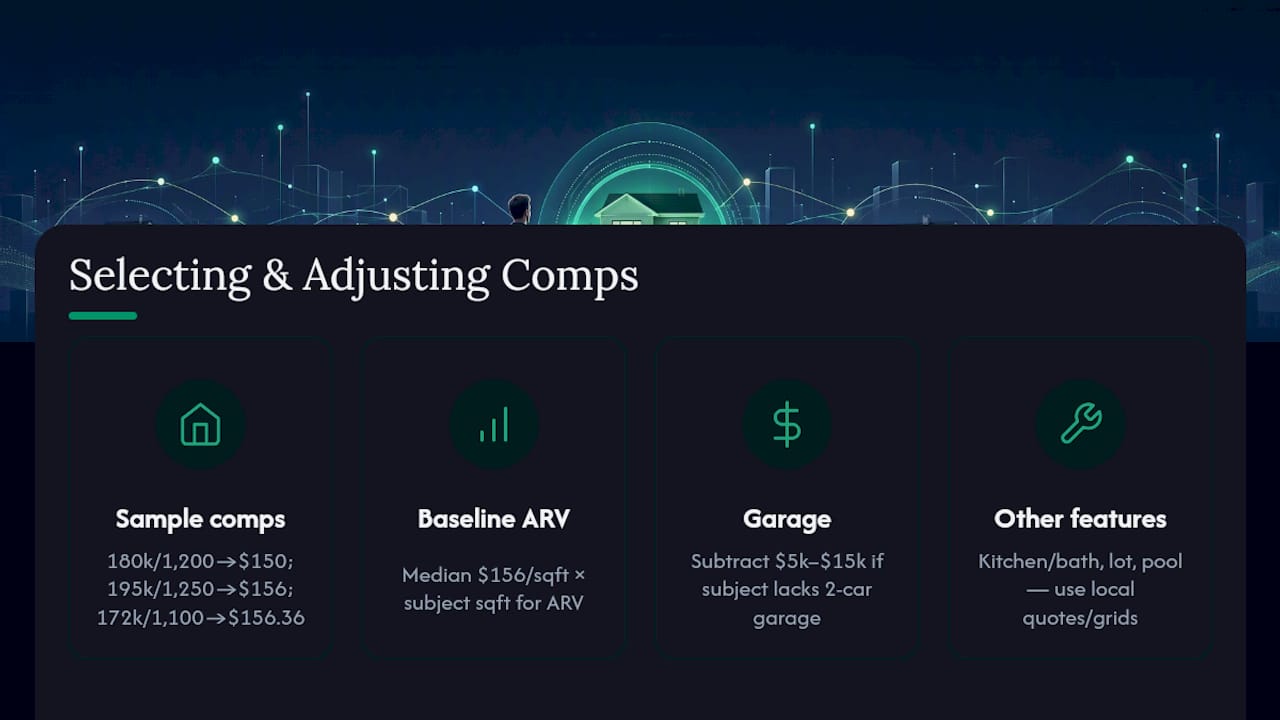
Dollar adjustments for features: When a comp has a two-car garage and your subject does not, subtract a market-appropriate dollar amount (typically $5,000–$15,000 depending on the market). Kitchen and bath upgrades, lot premiums, and pool presence all warrant adjustments. Keep each adjustment defensible: use local contractor quotes or appraiser-published adjustment grids, not guesses.
Weighting and outlier rejection: Use median, not mean, to avoid distortion from outlier flips. Auctions, bulk sales, and probate transfers should be excluded or adjusted separately.
A repeatable 7–15 minute workflow for pulling comps
A tight, repeatable workflow with strict filters can produce a defensible comp set in under ten minutes. Here is the exact sequence.
Minutes 1–5: gather and search
- Note the subject property’s address, square footage, bed/bath count, year built, and property type.
- Open Zillow, toggle to “Recently Sold,” set radius to 0.5 miles, filter by beds/baths and ±20% square footage.
- Record every qualifying sale: address, closed date, sale price, square footage.
- Repeat on Redfin and Realtor.com to catch any sales one portal missed.
Minutes 6–10: verify and filter
- Open your county assessor or recorder site. Search the top three portal comps by address and confirm the recorded sale price matches.
- Flag any sale where the recorded price differs from the portal price or where the deed type is not a standard warranty deed.
- Pull street-view photos or schedule a drive-by for any comp you cannot verify visually.
Minutes 11–15: calculate and document
- Calculate price-per-square-foot for each verified comp.
- Apply condition and feature adjustments.
- Use the median adjusted price-per-square-foot multiplied by the subject’s square footage to estimate ARV.
- Apply your MAO formula: ARV minus rehab estimate minus desired profit margin equals MAO.
- Document your comp addresses, closed dates, and selection rationale in writing.
Pro Tip: *When the market is thin and you cannot find three qualifying comps within six months and one mile, note it explicitly in your deal file.
How to verify comps and spot red flags
Not every closed sale belongs in your comp set. These verification steps protect you from building an ARV on a transaction that does not reflect retail market value.
Verification checklist:
- Confirm the closed date falls within your selected time window.
- Check the deed type: warranty deed signals an arm’s-length sale; quitclaim or trustee’s deed often signals a distressed or non-market transfer.
- Look for seller concessions in the listing history. A $200,000 sale with $10,000 in concessions is effectively a $190,000 transaction.
- Note days on market: a sale that closed in two days may have been a pocket deal between related parties.
- Check whether the property had recent permits pulled after the sale, which can indicate the buyer rehabbed it before reselling at a premium.
Red flags that disqualify or require heavy adjustment:
- Sale by a bank, government entity, or auction house (non-arm’s-length)
- Price jump of 30%+ over a prior sale within 12 months (likely a flip; use as an ARV ceiling, not a comp)
- Listing photos showing major renovation post-purchase
- Probate or estate sales where the seller accepted below market to close quickly
- Sales in non-disclosure states where the recorded price may be nominal
Investor workflows prioritize arm’s-length, investor-to-investor or retail transactions when underwriting distressed deals. Outlier sales including auctions, bulk sales, and probate transfers should not be treated as retail comps without adjustment.
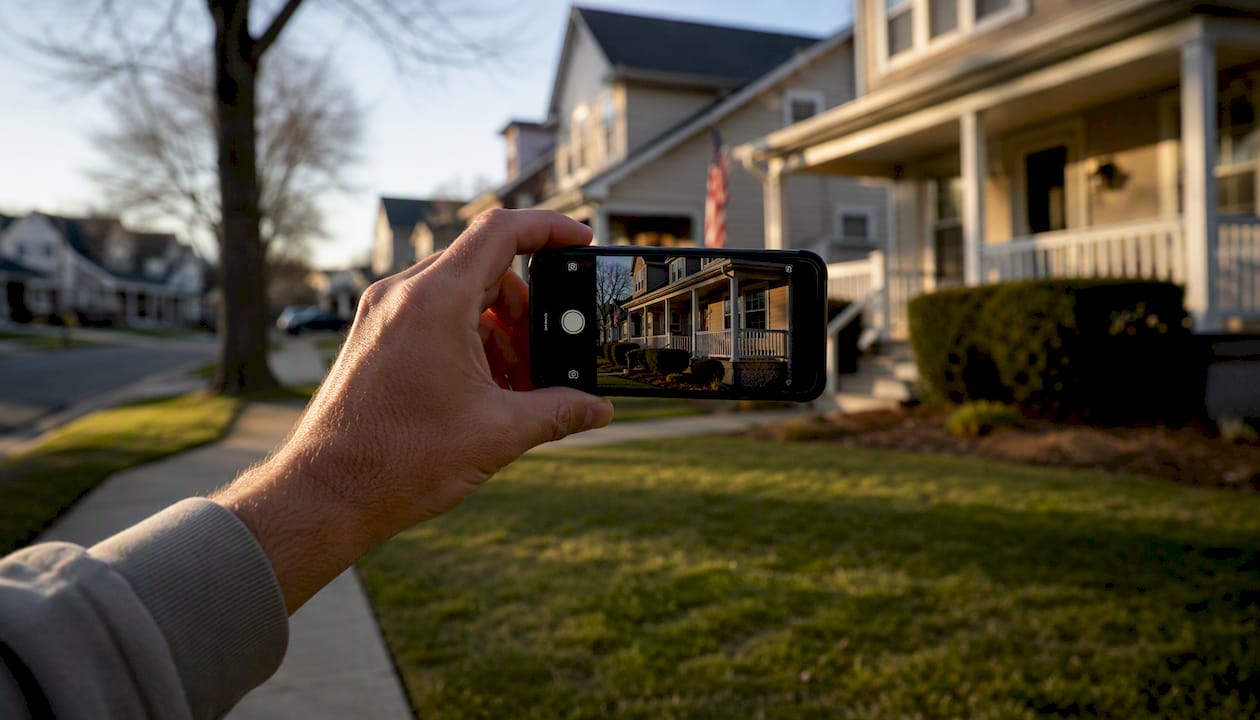
Practical verification tactics: A five-minute drive-by confirms condition better than any photo. A quick call to a local title company can surface whether a sale had unusual terms. A local agent familiar with the neighborhood can often identify a flip or a related-party sale on sight.
How to convert comps into ARV and MAO with a worked example
Once you have a verified, adjusted comp set, the math is straightforward. Here is a full numeric walkthrough using the three comps from the selection table above.
Subject property: 1,150 sq ft, 3 bed/2 bath, needs $25,000 in rehab, target profit margin of $20,000.
Step 1: Compute ARV
Median adjusted price-per-square-foot from the comp table: $156.00.
ARV = 1,150 sq ft × $156.00 = $179,400
Step 2: Compute MAO
MAO = ARV minus rehab cost minus desired profit
MAO = $179,400 − $25,000 − $20,000 = $134,400
Round conservatively to $134,000 as your opening offer ceiling.
Inputs you need for the calculator:
- Subject square footage
- Median adjusted price-per-square-foot from your comp set
- Rehab budget (use the rehab cost estimator to build this number)
- Desired profit margin or wholesale fee
- Financing costs if holding the property
| Input | Value | Notes |
|---|---|---|
| Subject sq ft | 1,150 | Measured or from county records |
| Median $/sq ft | $156.00 | From 3 verified comps |
| ARV | $179,400 | Sq ft × median $/sq ft |
| Rehab estimate | $25,000 | From scope of work |
| Profit target | $20,000 | Minimum acceptable margin |
| MAO | $134,400 | ARV − rehab − profit |
The ARV calculator handles this adjustment automatically once you enter your comp values.
Document every comp address, closed date, and adjustment rationale. A cash buyer or lender reviewing your deal file should be able to trace every number back to a verifiable source.
What actually separates defensible comps from a guess
Most valuation errors I see come from the same two mistakes: using too few comps and skipping the county record check. An investor who pulls three portal comps, spots a price that fits their thesis, and stops there is not doing comp analysis. They are confirmation shopping.
Conservative assumptions do not kill deals. They kill bad deals before you close on them, which is exactly what they are supposed to do. Cross-checking county records against portal data takes four minutes and has saved more than a few investors from building an ARV on a non-arm’s-length transfer that never should have been in the comp set.
Real Estate Investor Toolkit puts the workflow in one place
Pulling comps across three portals, running county record checks, and computing price-per-square-foot in a spreadsheet works. It also takes longer than it needs to. Real Estate Investor Toolkit gives you a faster path to the same defensible numbers, with no sign-up required to get started.
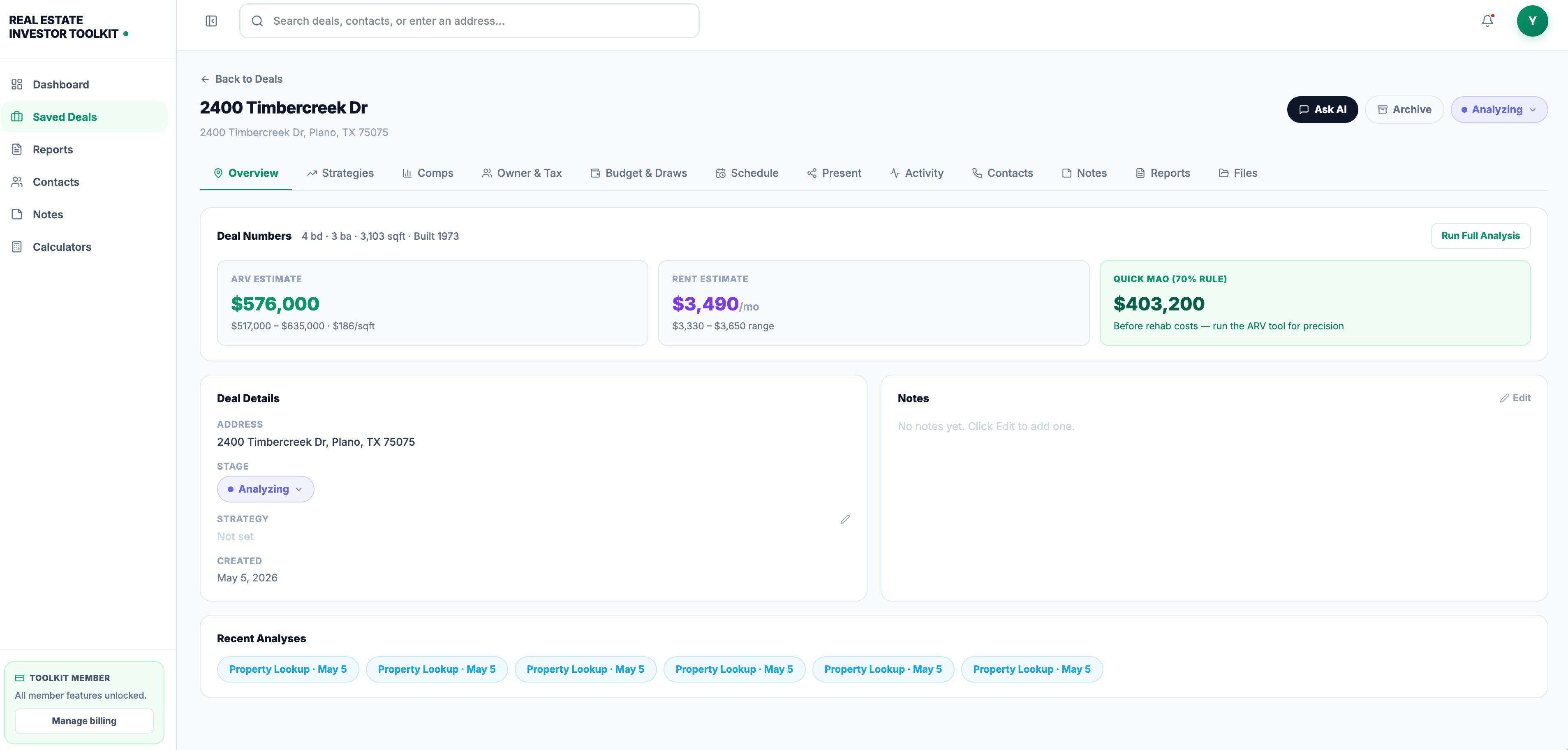
The comps analyzer lets you enter your verified sold prices and square footage figures, then computes median price-per-square-foot and applies condition adjustments automatically. Feed that output directly into the ARV calculator and your MAO appears in seconds. The rehab cost estimator builds the repair budget you need to complete the MAO formula. Every tool is free to use without an account, and the paid subscription unlocks saved deal pipelines, advanced property data, and AI-assisted deal insights for investors running consistent volume. Start with the comps analyzer on your next deal and see how much faster the workflow runs.
Sources
These sources cover the core workflow for pulling and verifying comps without MLS access.
- Real Estate Comps: How to Pull Comparable Sales for Any Address (Free Tools) | Opendoor
- How to Pull a Reliable Comp Set in 7 Minutes (Without an MLS Subscription) — Metro Deal Report
- Real Estate Comps: How to Find Comparables for Real Estate | Zillow
This article is general information, not a substitute for advice from a qualified financial advisor. Consult a qualified financial professional about your own circumstances before acting on anything here.
Recommended
- How to Pull Real Estate Comps for Investment Properties — Real Estate Investing Guide | Real Estate Investor Toolkit
- Real Estate Investing Guides, Frameworks, and Strategies | Real Estate Investor Toolkit
- How to Find Off-Market Investment Properties — Real Estate Investing Guide | Real Estate Investor Toolkit